Motor cutoff - Inspire 2
Motor cutoff for the DJI Inspire 2: it stops the motors instantly when the flight is terminated, before the parachute deploys, so the parachute lines can't tangle in spinning propellers.
How it works
Many flight terminators cut power to the whole aircraft. The KopterMax cutoff only stops the motors, and everything else stays powered during the parachute descent:
- the pilot keeps the live GPS position on the map, altitude, vertical speed and the video feed from the onboard camera;
- the gimbal and the landing gear keep working, so the pilot can lower the landing gear before touchdown and protect the camera.
Specifications
| Product code | KMX-4AIN2-291 |
| Compatible with | DJI Inspire 2 |
| Activation | Any standard RC receiver |
| Response | Instant motor stop, no delay |
Features
- Plug-and-play installation
- Doesn't void the drone manufacturer's warranty
- Works with any standard RC receiver
- Instant flight termination and motor stop, with no delay
- Avionics stay powered while the motors are cut
- GPS position and video feed keep working during the descent
- Sound alarm to find the drone in grass or snow
- Dedicated radio band with frequency hopping
- Available bundled with a matching parachute system
Installation
The KopterMax motor cutoff is a small circuit board that talks to the drone's motor controllers. It sits in the nosecone, between the flight controller and the ESC wiring, and overrides the flight controller's commands to stop the motors immediately.
- Remove the 4 screws from the nose of the drone with a 2.5 mm hex key.
- Remove the metal nosecone.
- Find the two braided cables coming from the top of the flight control unit, and unplug their two connectors from the flight controller.
- Plug the wiring from the drone into the cutoff circuit. The two connectors have different pin counts, so they can't be swapped.
- Plug the cutoff's white cable connectors into the flight control unit. These also have different pin counts, so only the correct way fits.
- Route the cutoff's activation and power cable along the top frame of the drone. Check that it can't move and doesn't interfere with the arm lifting mechanism.
- Refit the nosecone without pinching any cable or damaging the cutoff board.
- Secure the nosecone with the four hex screws.
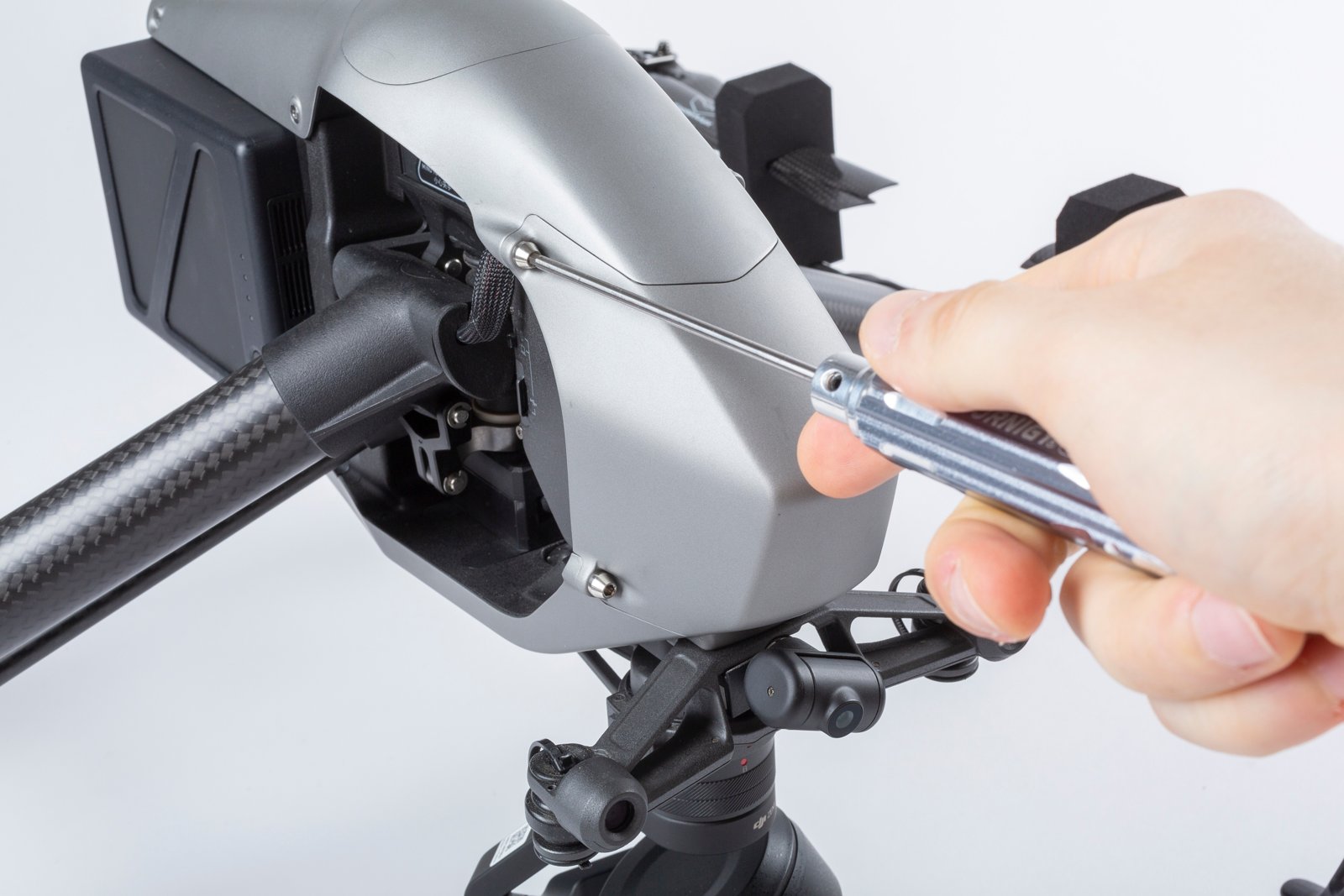
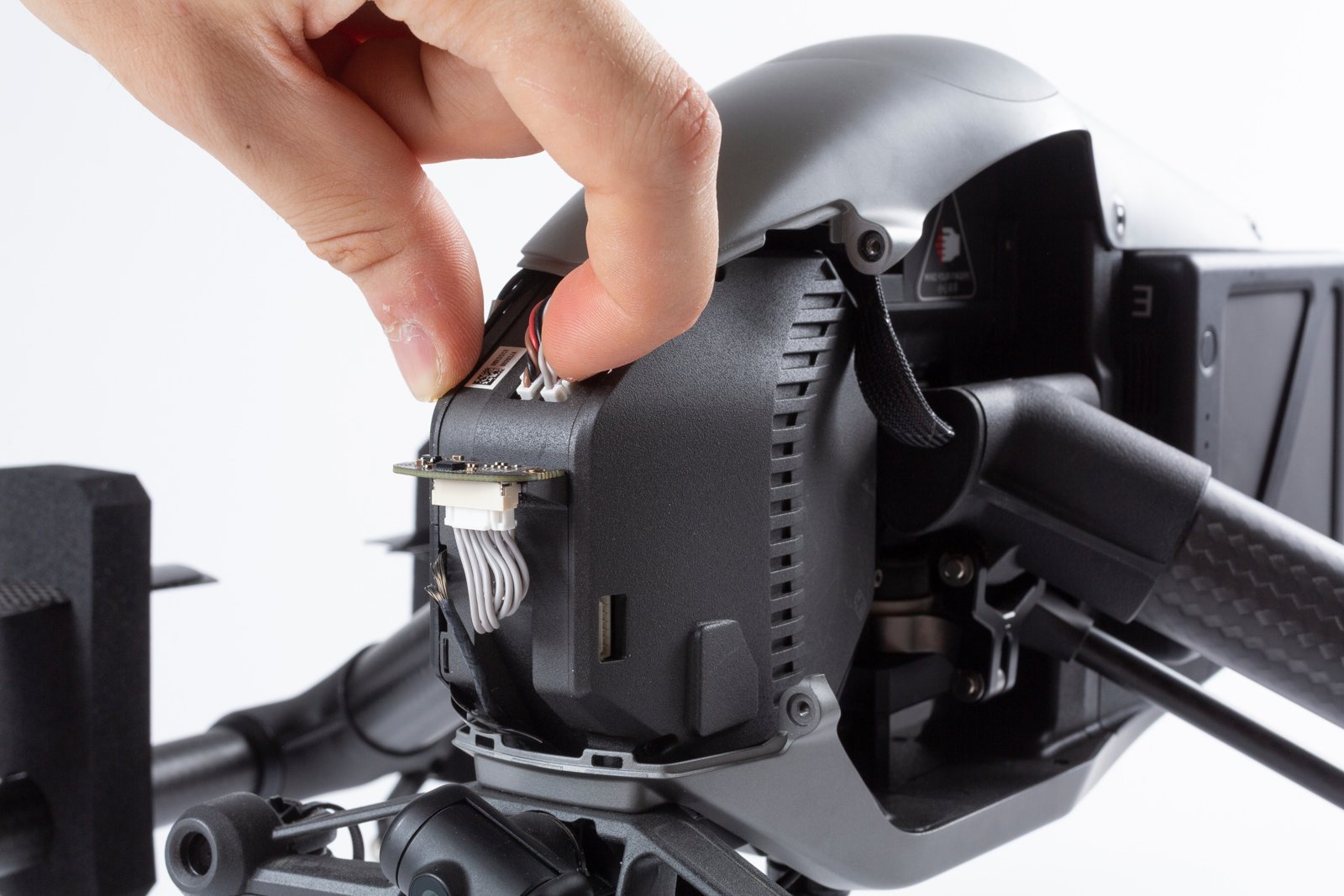
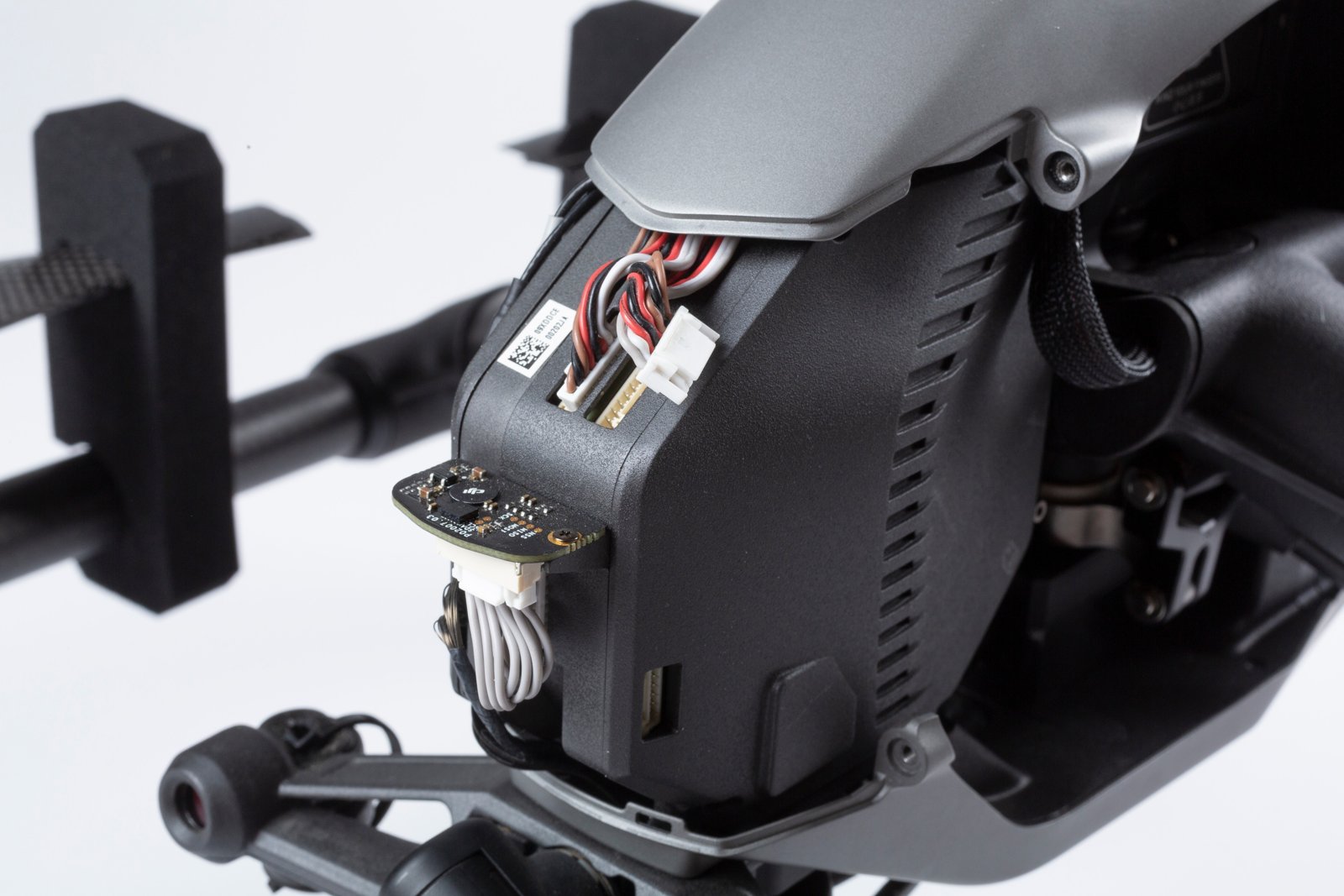
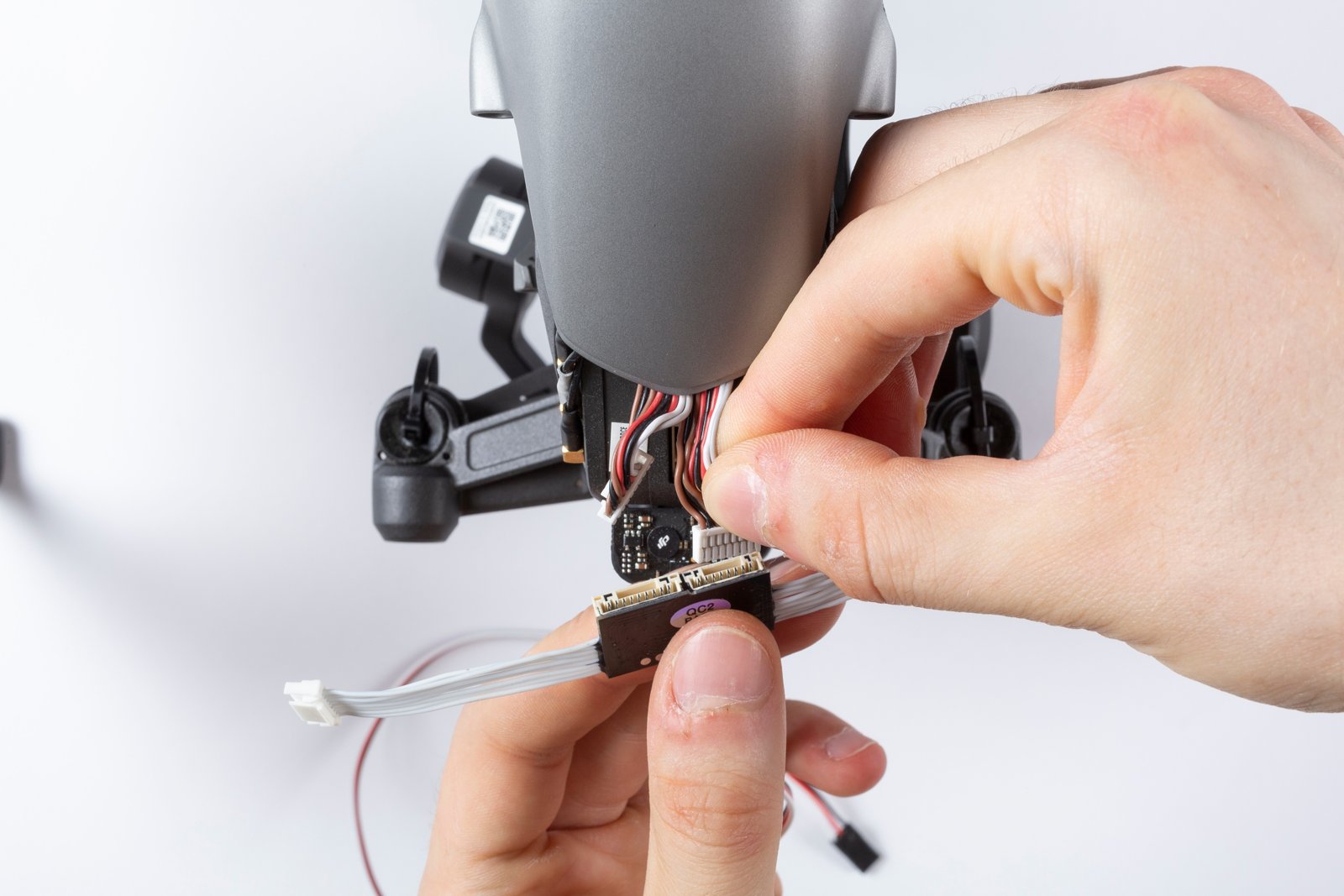
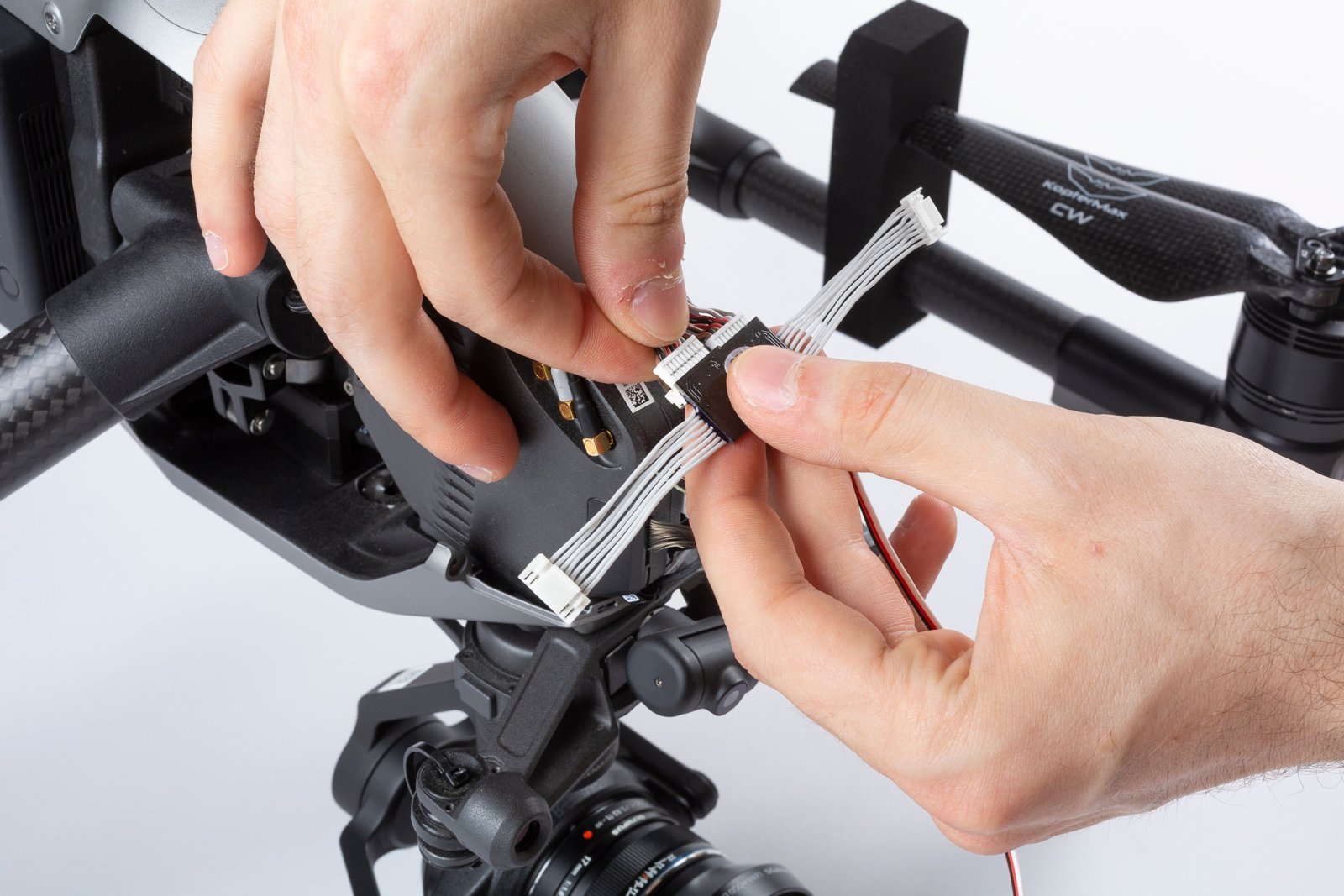
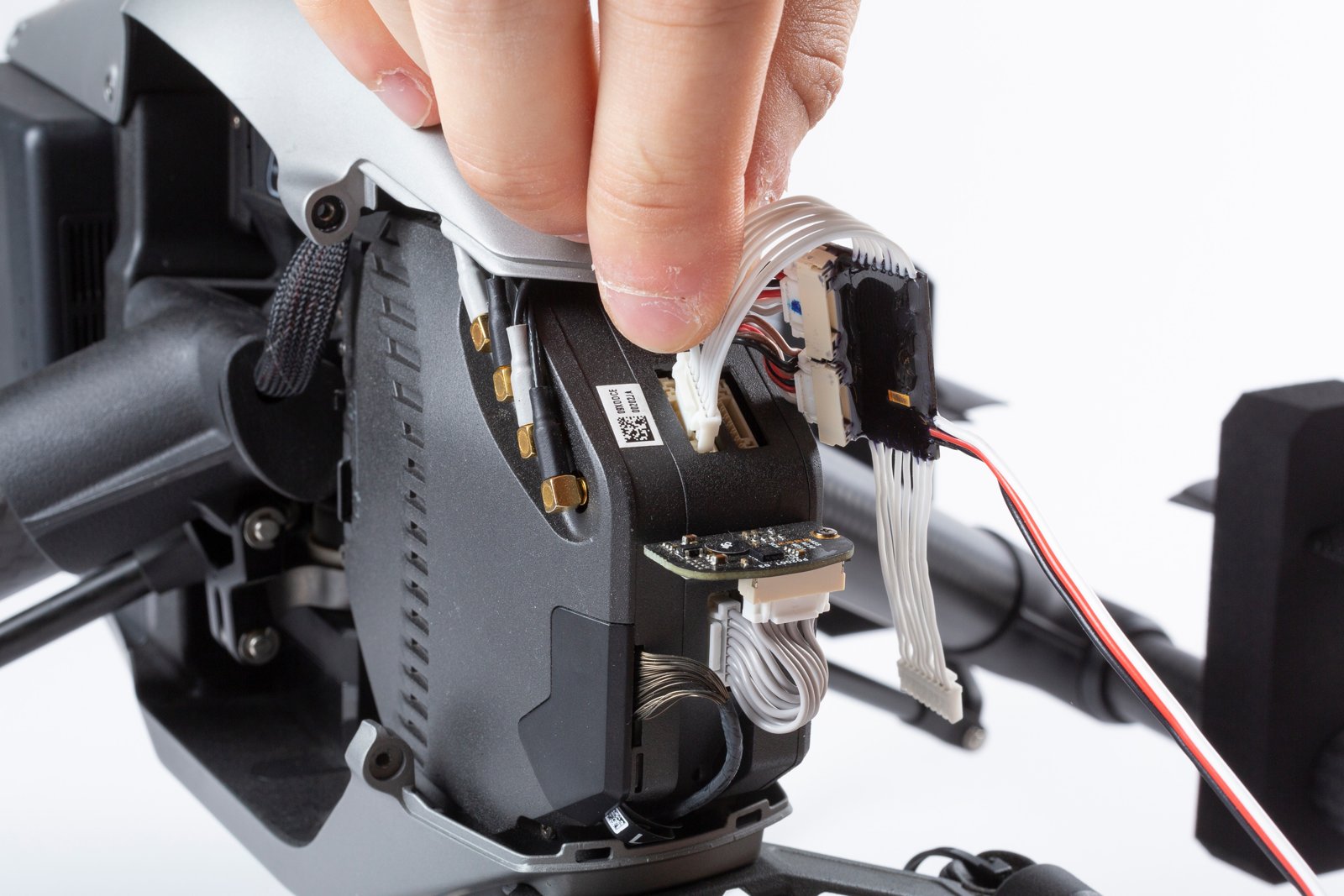
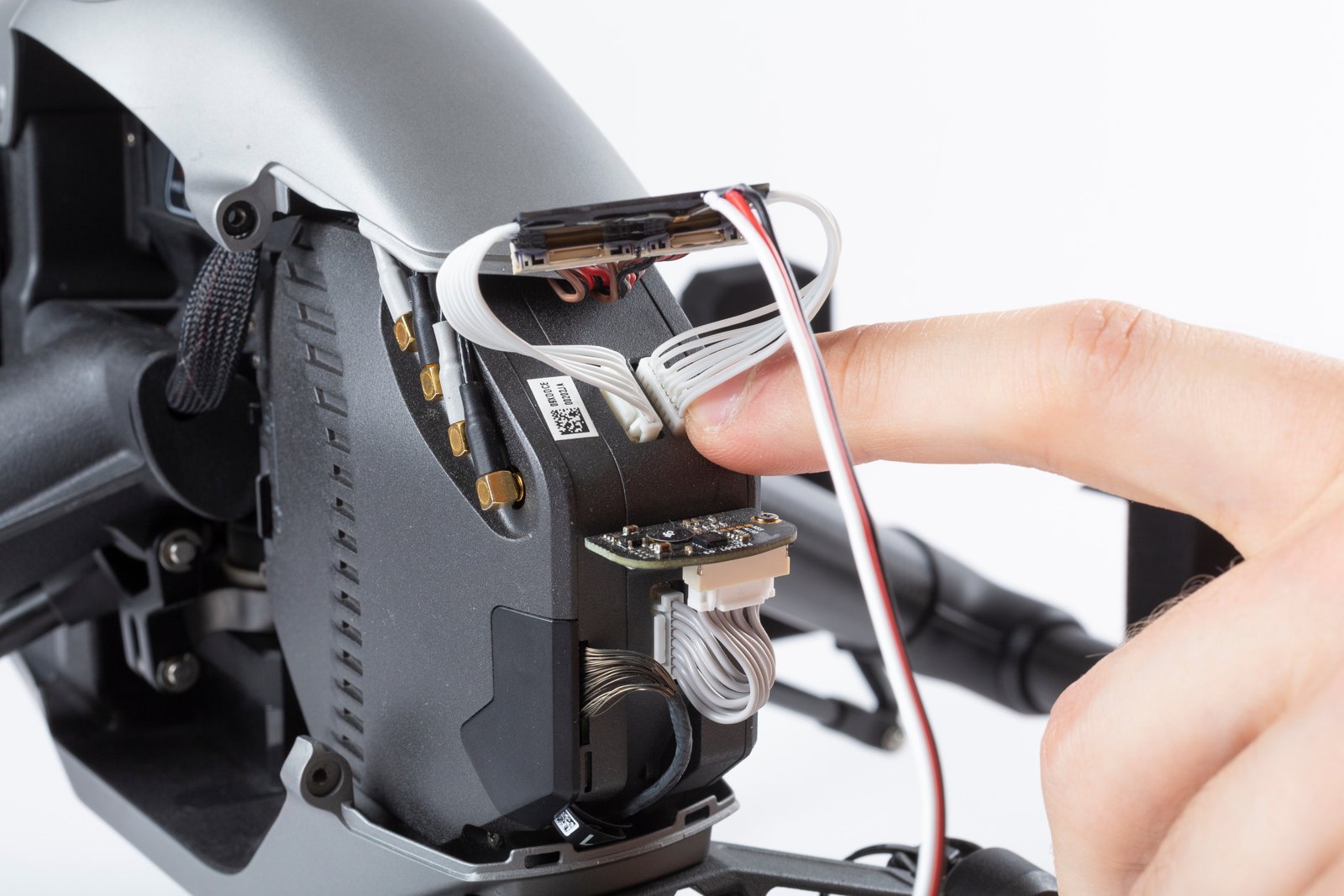
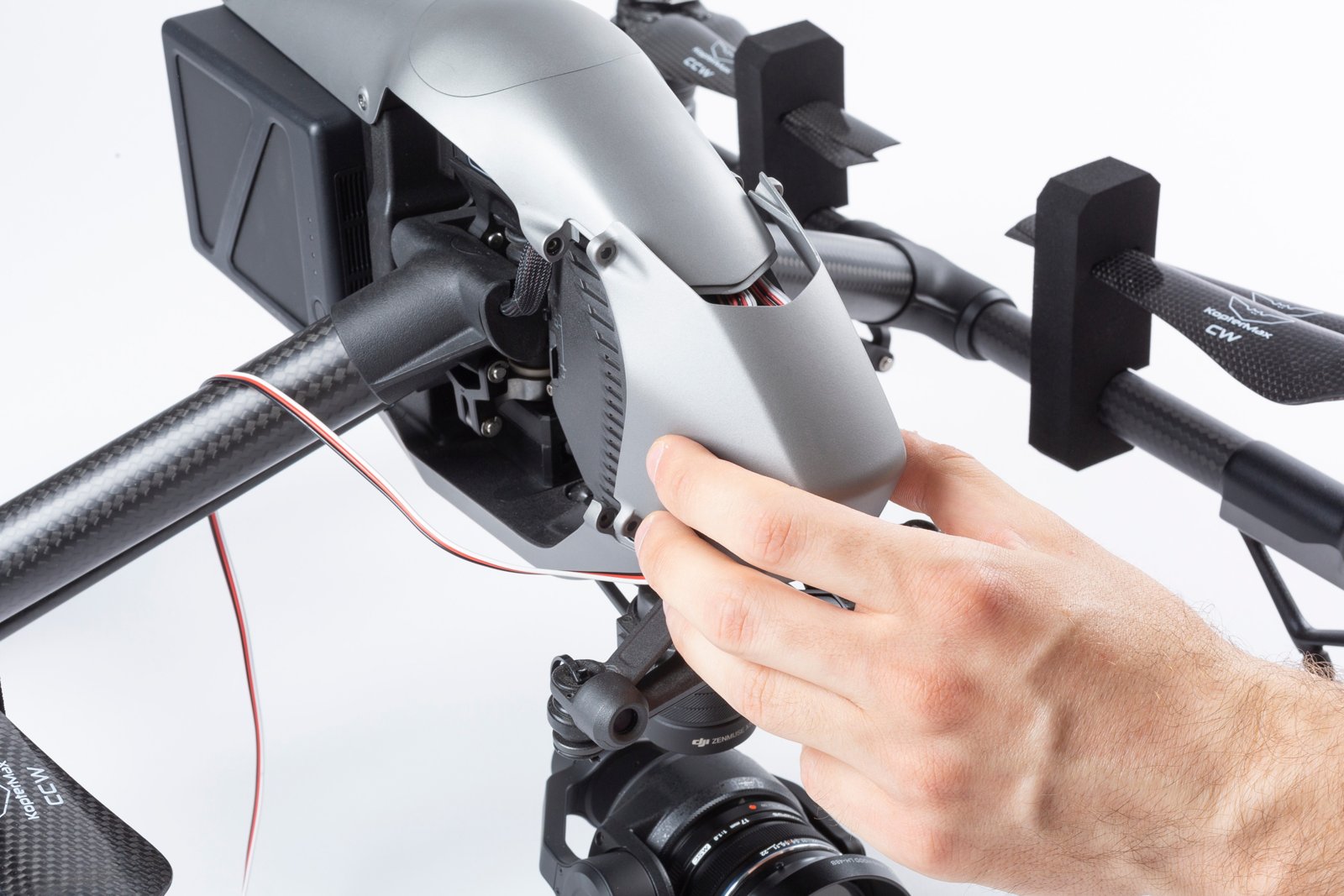
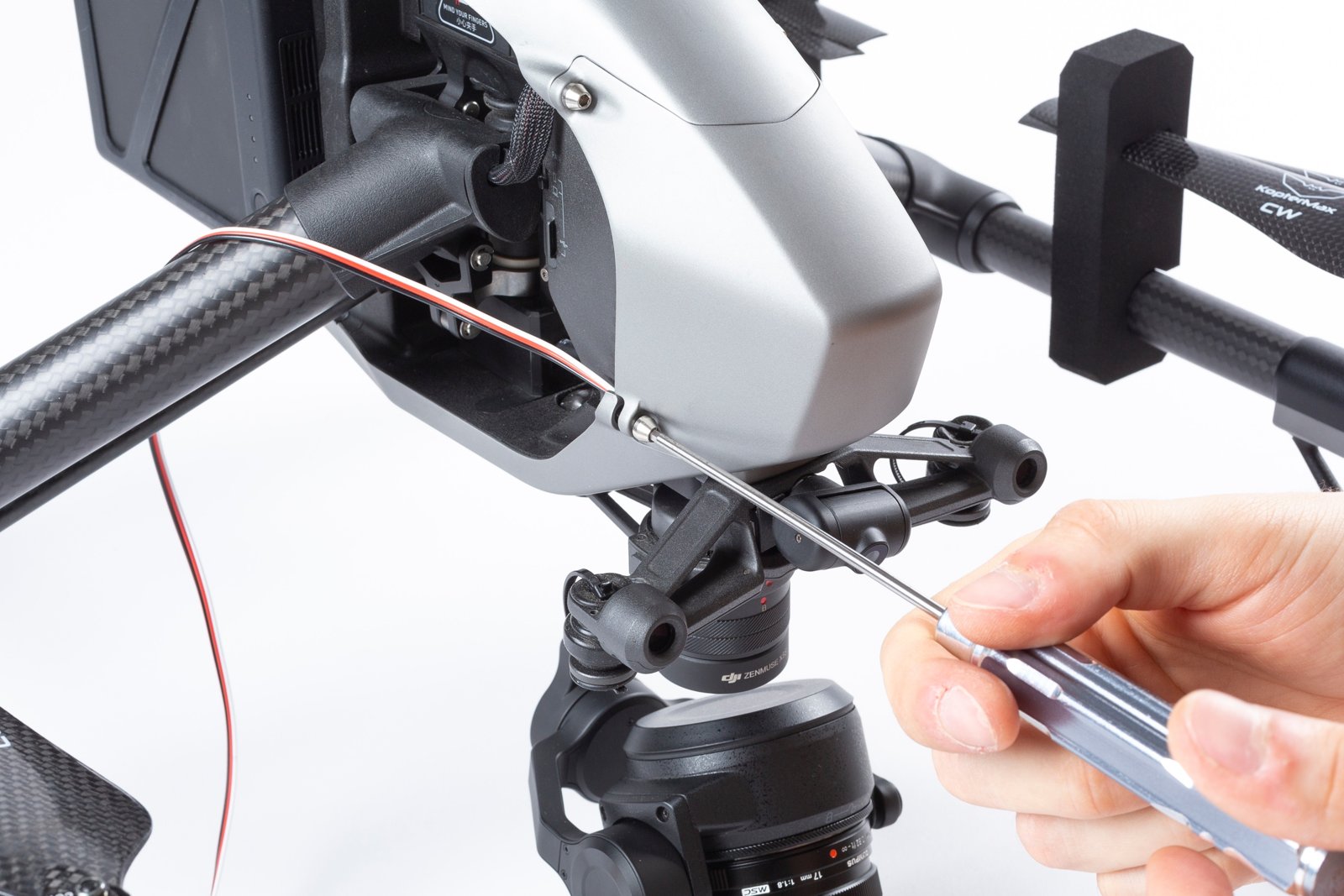
The module is transparent to normal flight operations, and installing it doesn't void the drone's warranty.
Parachute kit
The cutoff is part of the DJI Inspire 2 parachute kit: parachute, launcher, mounting hardware and the motor cutoff in one package. That page also covers arming the system and terminating a flight.
Who it's for
- Commercial UAV operators and video production companies
- Careful amateur pilots
- Survey and inspection operators
- Professional pilots working in hazardous environments
- Firefighters, foresters and police
- Businesses with authorisation to fly over people
- Search and rescue and medical operators